Learning is not the same as equipping
Read a physical perk-specific tome to learn its effect permanently. The learned perk does not need a fresh tome each time you swap it. You begin with three active account perk slots; the game shows any additional slots your account has unlocked.
- Open Equipped Tomes
Use the perk button in the quest tab or the Equipped Tomes tab in the Obsidian interface.
- Review active slots
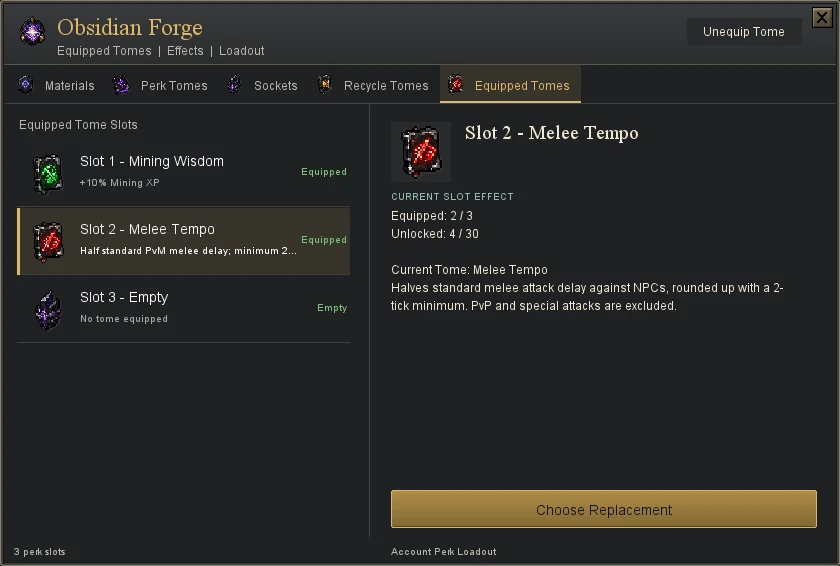
See the currently equipped perks and their exact effects. Select a slot to review available learned perks.
- Choose a compatible replacement
Pick the learned perk you want in that slot. Check the equipped list afterward; owning a tome or learning it does not mean every perk is active at once.
Tempo is not unrestricted double speed
Tempo uses half the normal attack delay, rounded up, with a two-tick minimum. A five-tick attack becomes three ticks; a four-tick attack becomes two. Only the matching standard NPC attack style benefits. PvP and special attacks are excluded.
Choose a plan
Melee, ranged and magic builds each start with three compatible account perks. Boss guides include useful swaps rather than assuming you own every tome.